The brief
Design the workflow, not just a collection of pages
Online-school tools often split the teacher’s work across calendars, video links, chat, files, and assignment trackers. I built this MVP to understand the platform logic behind a more continuous experience: a lesson appears in the right course and week, attendance is recorded in context, homework moves through visible states, and feedback returns to the student where the work lives.
This is an independent functional prototype. I designed the product flow, data structure, role permissions, interface, seeded demonstration content, and technical integrations.
Platform logic
One connected learning cycle
Plan
Create courses, enroll students, schedule lessons, and keep the weekly view role-specific.
Teach
Open the lesson context, launch a live room, record attendance, and keep notes together.
Assign
Attach homework to a lesson with instructions and a deadline visible to enrolled students.
Review
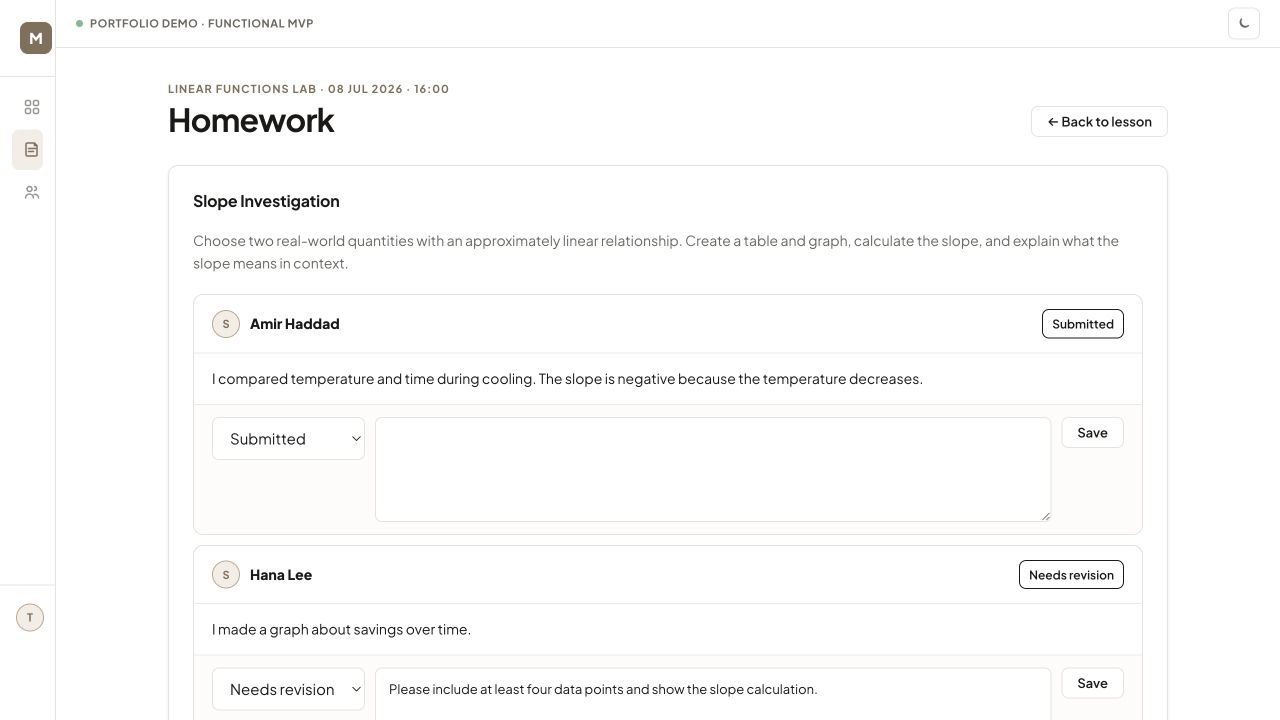
Track submitted, reviewed, and needs-revision states while writing actionable feedback.
Respond
Return the status and teacher comment to the student inside the original learning context.
Continue
Keep course messages, recordings, and the next lesson accessible without losing continuity.
Teacher experience
From the week at a glance to individual feedback
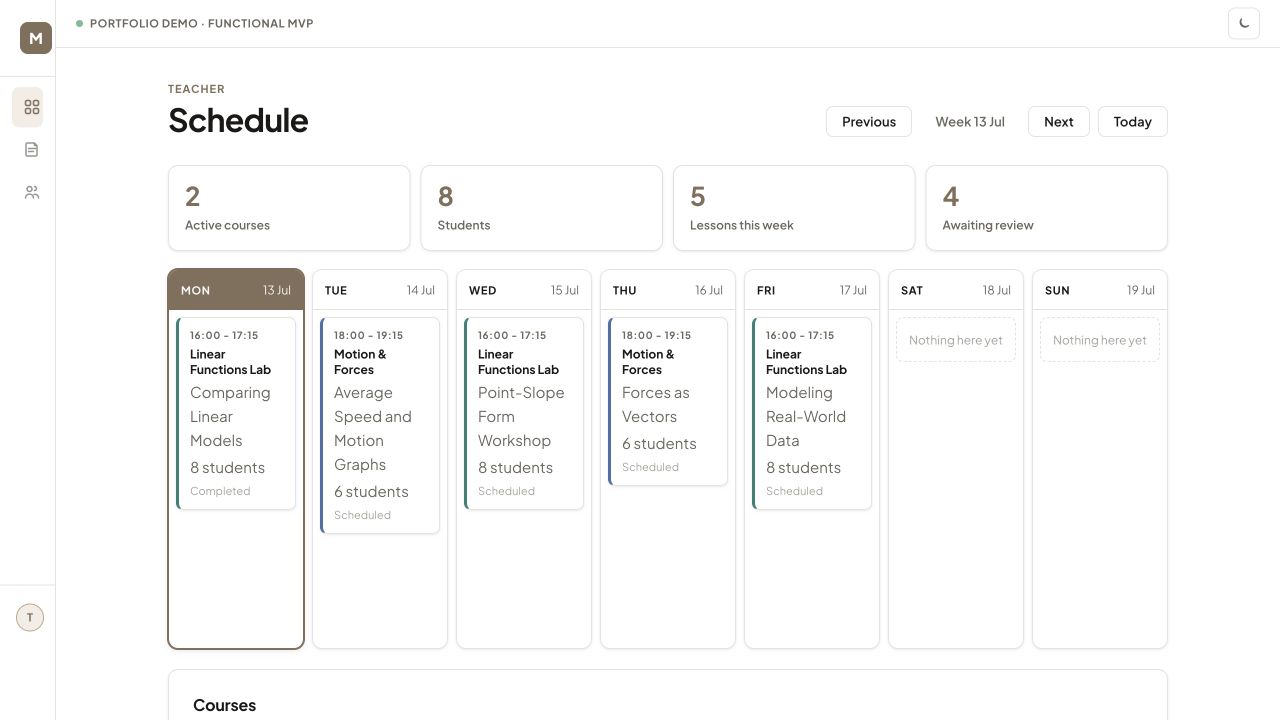
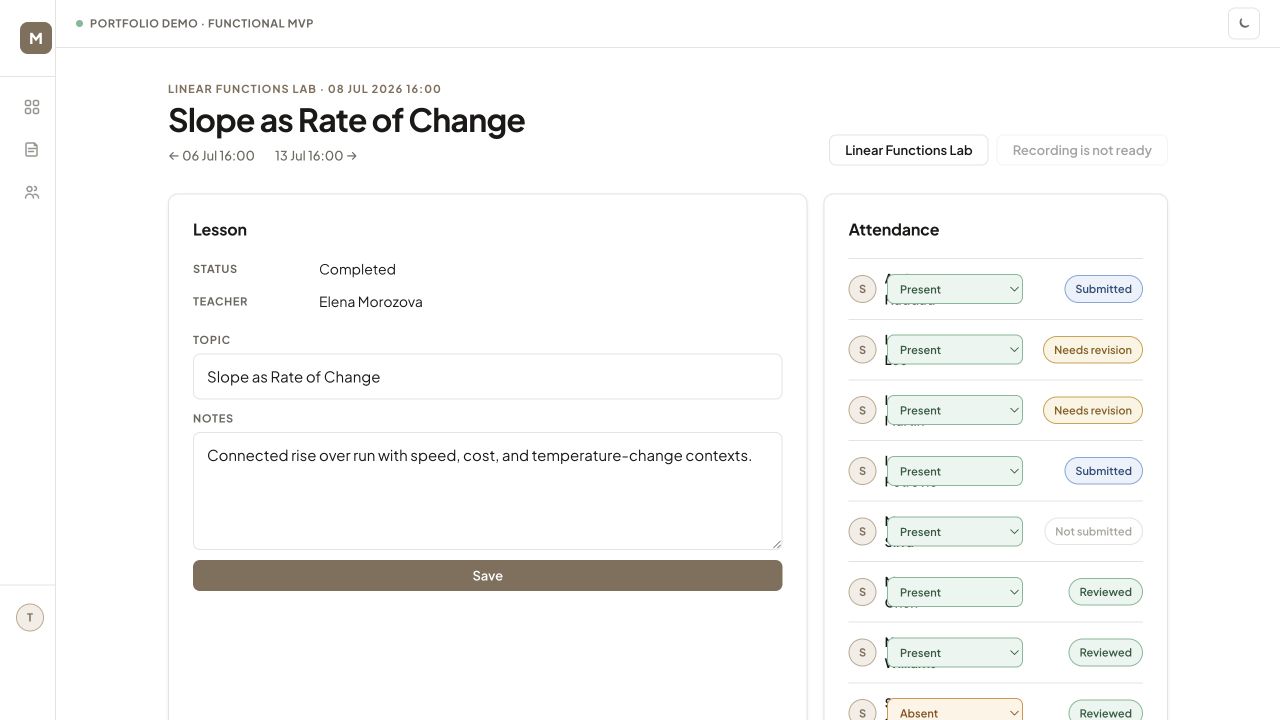
The teacher dashboard prioritizes what requires attention: active courses, current students, lessons this week, and submissions awaiting review. A lesson page then combines lesson notes, attendance, homework status, and review actions.
Student experience
Make the next action and the feedback visible
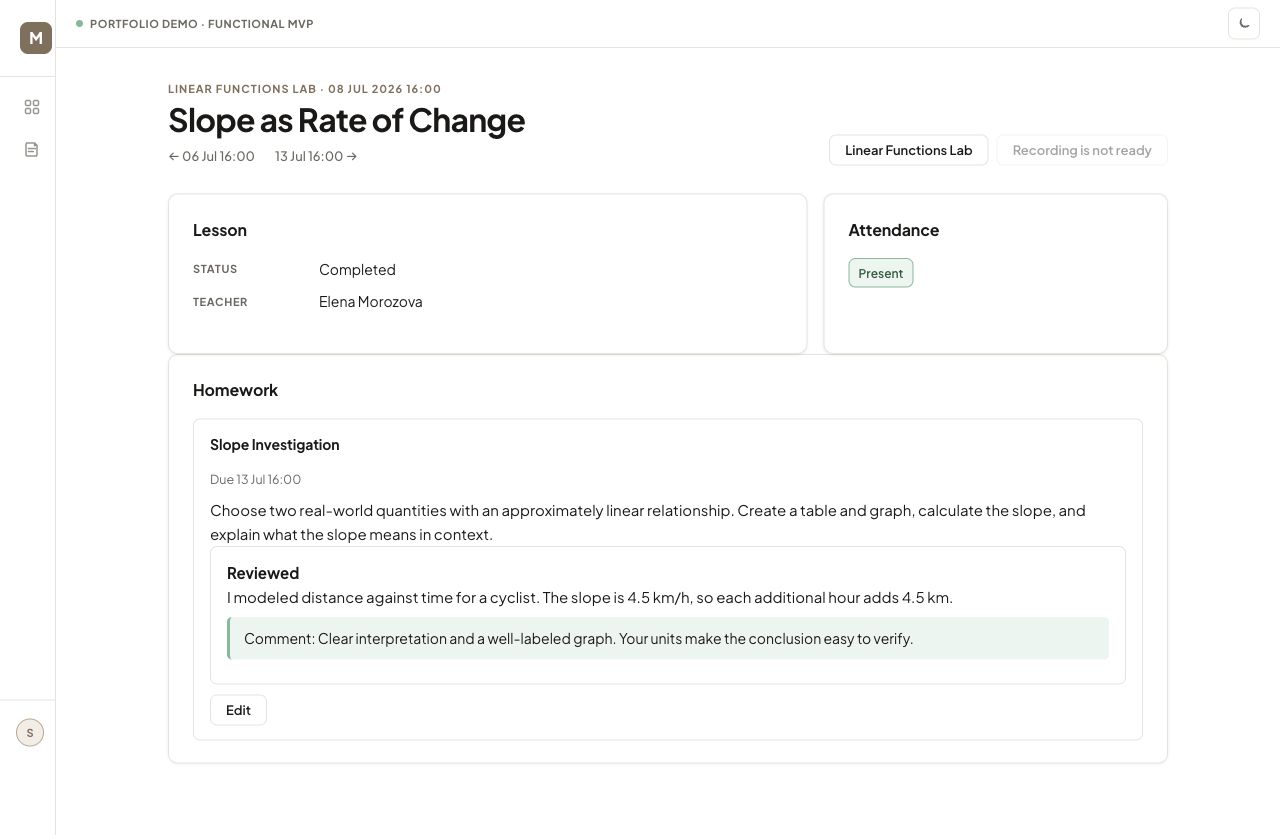
Students see only the courses and lessons they are enrolled in. Within a completed lesson they can confirm attendance, read the assignment, review their own submission, and see the teacher’s status and comment. The interface keeps the feedback attached to the work that generated it.
Technical implementation
A working Django system with external-service boundaries
Domain model
Courses, enrollments, lessons, attendance records, homework, submissions, messages, and user profiles are represented as connected Django models.
Role-aware access
Admin, teacher, and student views use server-side access checks so users see only the courses and actions relevant to their role.
Live-class workflow
Daily.co integration creates rooms and meeting tokens, distinguishes teacher ownership, and handles lesson start/end actions.
Recording pipeline
A signed webhook can receive a recording-ready event and hand the file to a Cloudflare R2 upload flow for later lesson playback.
Content & communication
Forms support lesson notes, assignment instructions, text/file submissions, review comments, and course-level messaging.
Verification
Automated tests cover authentication, enrollment-based access, student submission, and teacher review—the highest-value workflow boundaries for the demo.
Honest scope
Functional MVP, not a production platform
The prototype implements and connects the core workflows, but it is intentionally presented as an MVP. A production release would still require security hardening, operational monitoring, broader automated coverage, accessibility testing, privacy review, a production database, and deployment infrastructure.
For portfolio review I prepared a separate demonstration copy with realistic courses, lessons, students, submissions, and teacher feedback. This makes the workflow visible without presenting fictional adoption metrics or claiming production readiness.
What this demonstrates
I can translate educational operations into a working product model
This case goes beyond a standalone classroom activity. It shows how I map teacher and student needs into permissions, data relationships, interface states, feedback loops, and external-service integrations—while keeping the learning workflow understandable to the people using it.